
Run every AI agent from one control plane
See what your agents are doing, dispatch work, catch failures, and track spend without stitching together another internal dashboard.
Self-host free. No account. No forced product telemetry.
Built in public for teams operating AI agents
Use it when
Multiple agents, people, or gateways create enough operational surface that tasks, spend, security, and handoffs are getting hard to follow.
Skip it when
You run one agent on one machine, need a managed SaaS, or require stable production APIs today. Mission Control is self-hosted alpha software.
Go from clone to control plane
The installer handles Node.js, pnpm, dependencies, and secure credentials. Use local mode or swap in Docker from the setup guide.
bash quickstart
$git clone https://github.com/builderz-labs/mission-control.git && \
>cd mission-control && \
>bash install.sh --local
What you get right away
Local firstFull Runtime Visibility
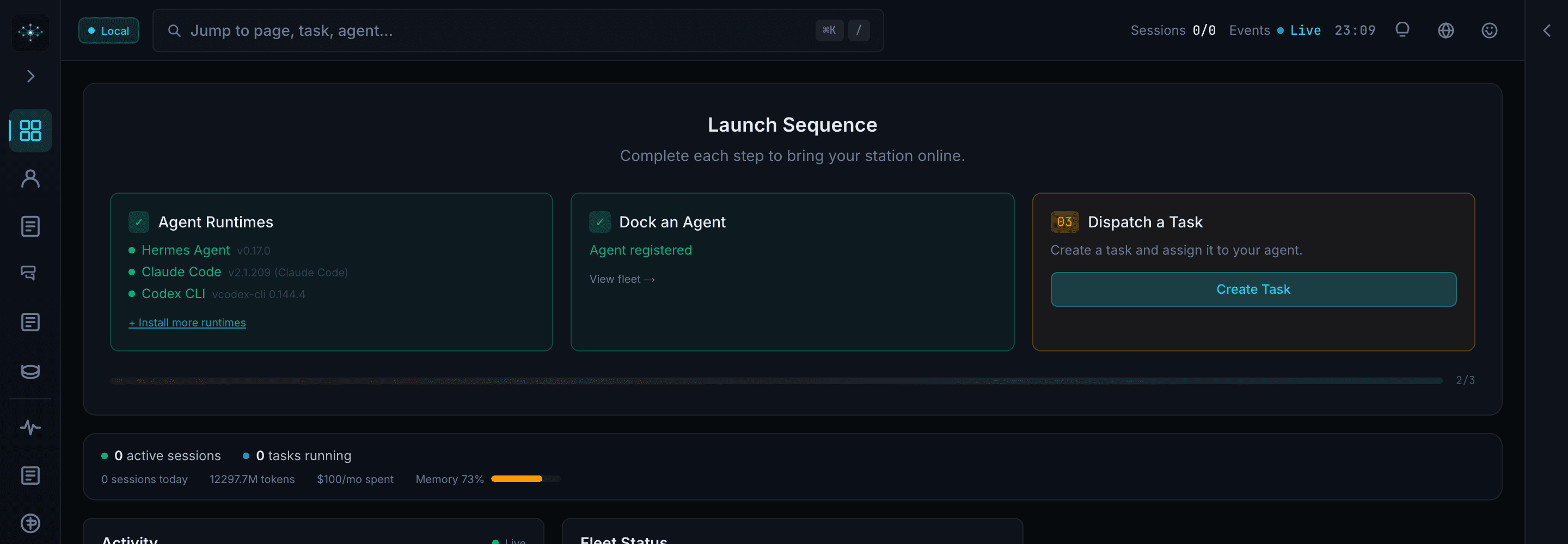
Watch sessions, logs, and memory in real-time from a single control surface.
Orchestration Controls
Coordinate tasks, pipelines, and cron flows without custom dashboard wiring.
Operational Guardrails
Use RBAC, audit history, trust scoring, secret detection, and alert rules from one place.
Want the full agent operating stack installed?
Agent OS Setup covers skills, memory, scheduled jobs, plugins, handoff, and Mission Control where it fits. Fixed scope: $5K-$12K, usually 2-4 weeks.
See the Agent OS packageControl the system behind your agents
Replace fragmented scripts and dashboards with one operating layer for visibility, orchestration, and automation.
See what every agent is doing now
Core Capability
Get instant runtime visibility across sessions, logs, memory, and token usage without stitching multiple tools together.
- Live session replay and debugging
- Memory knowledge graph visualization
- Token usage and cost per-agent breakdowns
- Claude Code session auto-discovery
Coordinate tasks, pipelines, and teams
Core Capability
Run agent operations from one control plane with shared task boards, scheduled workflows, and quality gates.
- Six-column kanban with threaded collaboration
- Natural language recurring task scheduling
- Aegis quality gates with automated review
- Task dispatch with CLI agent execution
Turn repeat operations into automation
Core Capability
Operationalize your stack with alerts, integrations, and repeatable runbooks that scale with your agent fleet.
- Multi-gateway with OS-level discovery
- Bidirectional GitHub Issues sync
- Skills Hub with security scanner
- Webhooks with HMAC-SHA256 + circuit breaker
See how teams run the full agent control loop
Inspect three real product surfaces. Each capture comes from the current Mission Control production runtime.
Orchestrate
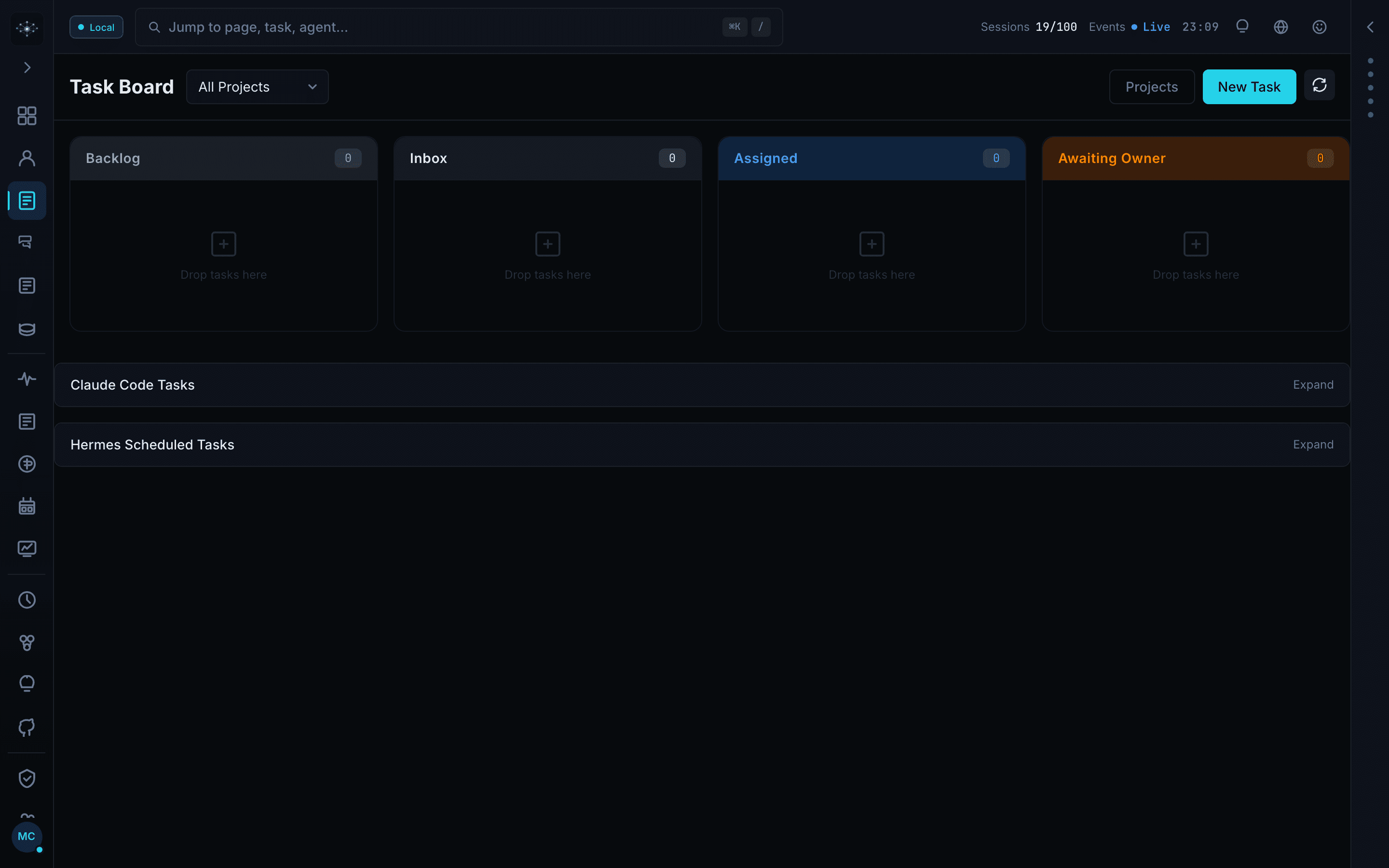
Move agent work through one shared task board
Give operators and agents the same view of queued work, ownership, and execution state.
Backlog, inbox, assigned, and owner-review stages
Project filters and task creation in context
Claude Code and scheduled work alongside agent tasks
Architecture
Mission Control sits between your agents and infrastructure interfaces as the operational control plane.
Before
Fragmented scripts, scattered logs, and no single source of truth for agent operations.
After
One control plane for visibility, orchestration, alerts, and governance across your stack.
Agent Providers
Your agents and frameworks
Mission Control
Unified operations layer
Observe agent activity, orchestrate workflows, and enforce operational controls from one dashboard.
Interfaces
Gateways and integrations
Connect into your existing stack without changing how your agents are built.
One operating layer. Four jobs that must stay connected.
Mission Control connects execution, visibility, governance, and integrations. Explore each layer to see what the system replaces and what your team gains.
32
operator panels
101
OpenAPI routes
2
runtime modes
MIT
licensed
Run layer
Turn intent into execution
Give agents and operators one shared system for tasks, ownership, schedules, and multi-step delivery.
Task board
Six-stage flow with priorities, comments, projects, and sub-agent spawning.
Agent dispatch
Assign work to CLI agents and retain the linked execution session.
Pipelines
Start and monitor repeatable, multi-step agent workflows.
Recurring work
Turn natural-language schedules into dated tasks and cron runs.
Less coordination overhead. Clear ownership from queue to sign-off.
Start with local mode. Add gateways and advanced controls only when your operating model needs them.
Questions before you install
Everything you need to know about Mission Control.
Mission Control is an open-source dashboard for managing AI agent systems. It provides one interface for sessions, tasks, logs, costs, approvals, and agent workflows.
Mission Control is for developers and teams coordinating multiple agents, tasks, costs, and handoffs. If you run one agent on one machine, a control plane is probably unnecessary.
Yes. Mission Control is open source under the MIT License. You can inspect the code and self-host it on your own infrastructure, subject to the license terms.
Mission Control includes adapters for OpenClaw, CrewAI, LangGraph, AutoGen, Claude SDK, and a generic fallback. Agents can also connect through the documented REST API.
Agents register through the authenticated API. They can then report status, stream logs, manage tasks, and receive commands through the supported API and real-time transports.
Mission Control is alpha software under active development. It includes RBAC, authenticated APIs, security auditing, and a hardened Docker profile, but schemas and APIs may change. Review the deployment and security guides before exposing it publicly.
Use the repository documentation and GitHub issues for product help, or join the Telegram community. If you want the wider agent operating stack installed and handed off, nyk offers a fixed-scope Agent OS Setup package.
Stop operating agents blind.
Put sessions, tasks, costs, alerts, and approvals in one place. Start locally, then shape the deployment around your own stack.
bash quickstart
$git clone https://github.com/builderz-labs/mission-control.git && \
>cd mission-control && \
>bash install.sh --local
Two ways to put it to work
Self-host the product yourself, or bring in nyk for the surrounding agent operating system.
Agent OS Setup · $5K-$12KFixed scope · usually 2-4 weeks · free intro call